Explore The Workspace
See the tools teams can use to plan projects and the tools individuals can use to get through the day. These views are from the Mac prototype.
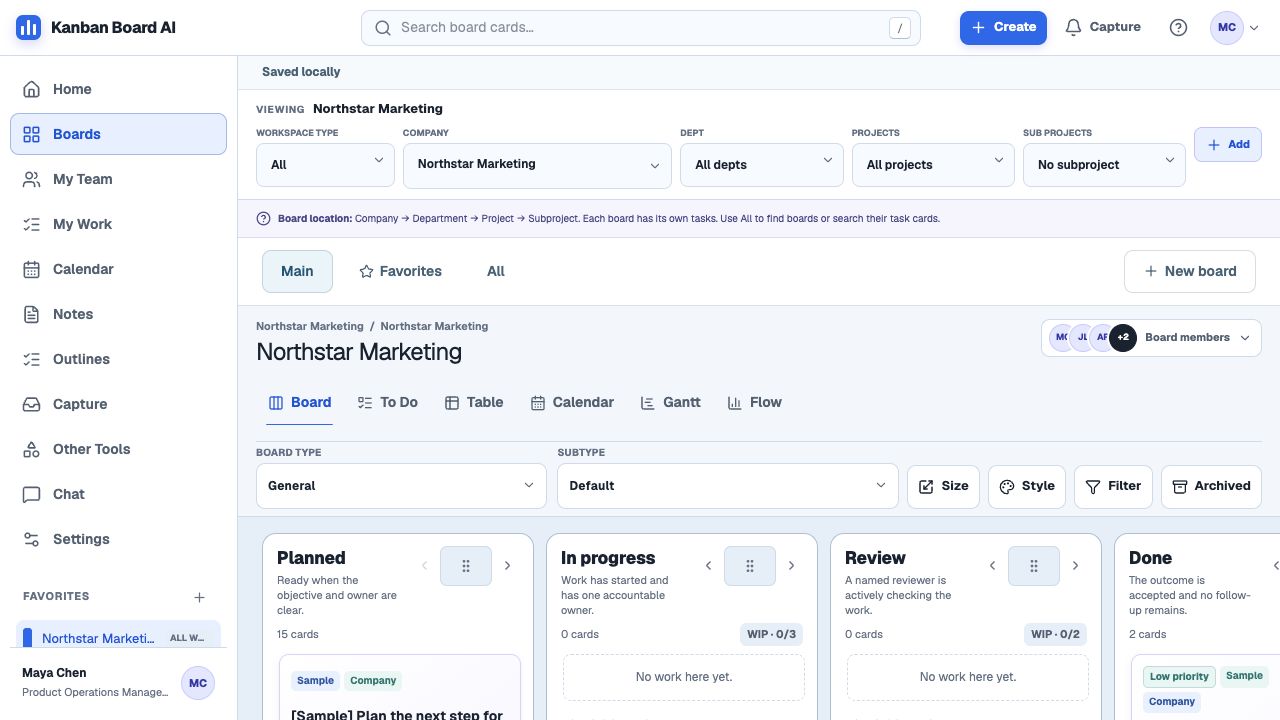
Boards
Give a project a workflow, organize cards by stage, and use table or calendar views to check dates and status.
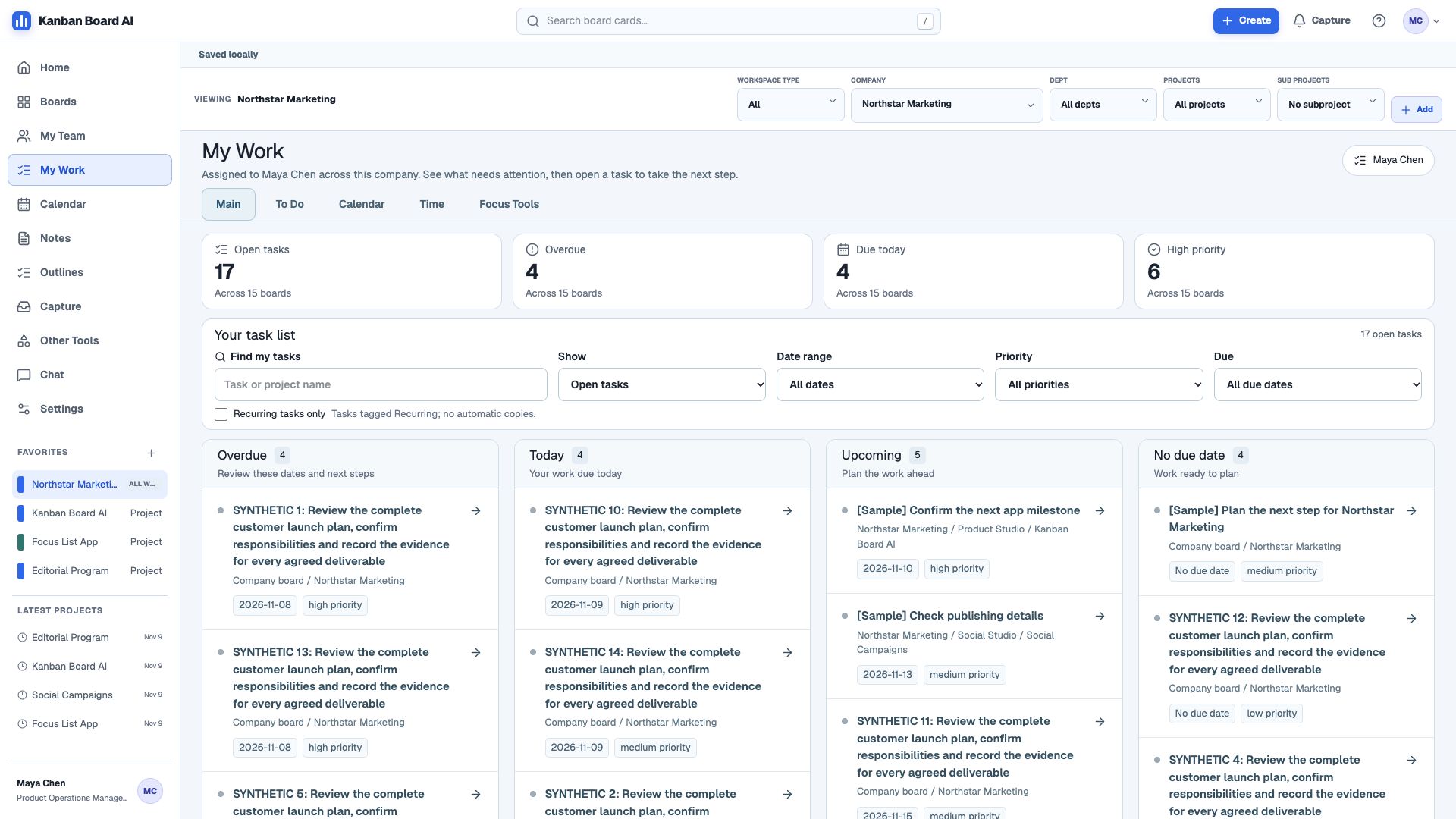
My Work
Find assigned work and upcoming deadlines. Open the task you need from a single personal view.
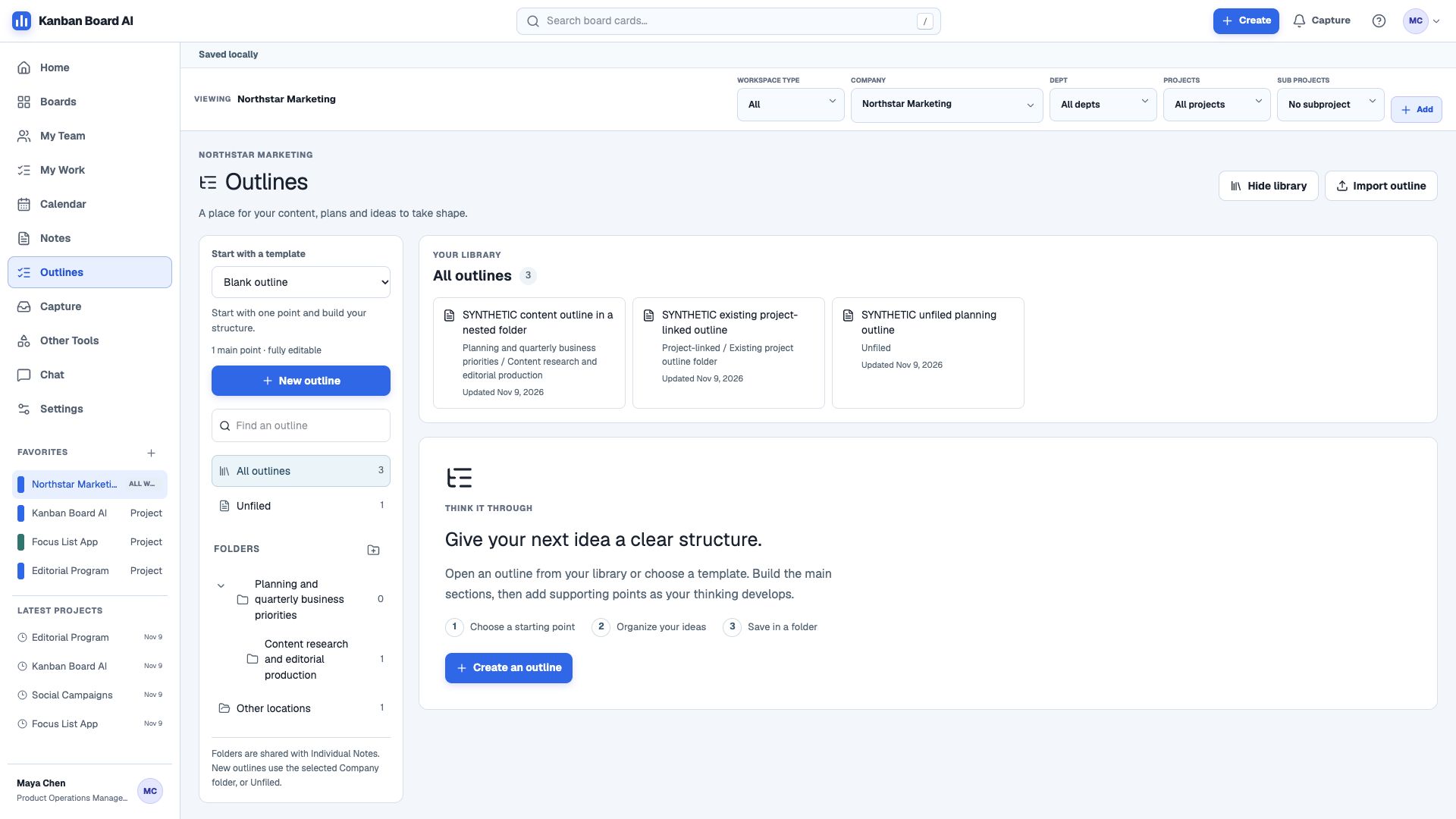
Notes And Outlines
Write a project brief, organize thoughts into nested points, and keep reusable planning documents in folders.
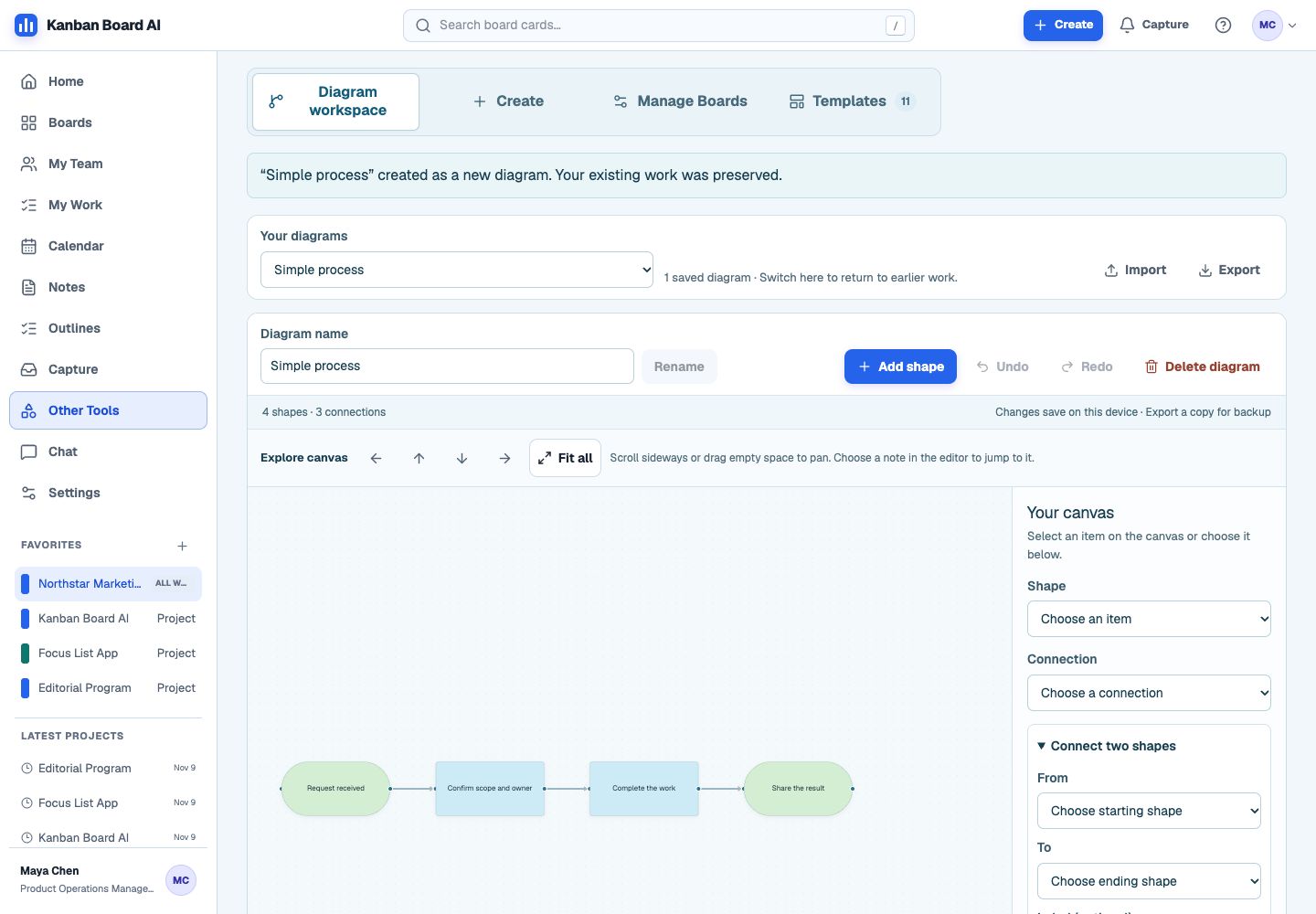
Other Tools
Sketch a process in Flow Diagram, brainstorm on a White Board, or document a repeated workflow as a standard operating procedure.